|
Schulpastoral und Internet
Themen Specials
Suche auf www.schulpastoral.de
Bibliothek auf www.rpi-virtuell.de
|
Home
>>
RSS Center
>>
Adding Facebook's Comments Box to XOOPS News Module
RSS Center

 XOOPS.org
(30.04.2026 18:59)
XOOPS.org
(30.04.2026 18:59)
 Adding Facebook's Comments Box to XOOPS News Module
(16.08.2011 10:50)
Adding Facebook's Comments Box to XOOPS News Module
(16.08.2011 10:50)
Bigwolf asked recently about where to add Facebook's Comment Box code in the News module.
Here is a quick tutorial how to hack the News module to make ti happen: 1) You need to create a Facebook Application for your XOOPS site, and fill out all the fields there: 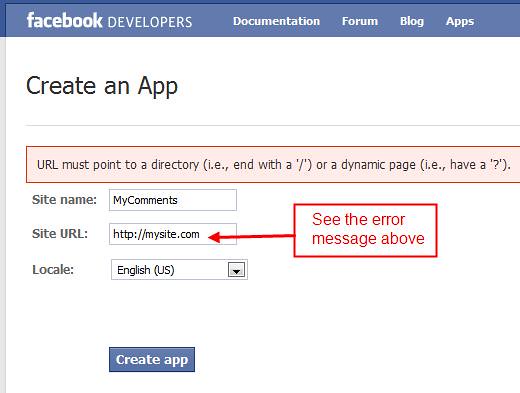 Make sure that your URL ends with "/" 2) Once you properly fill out the form, and click on the "Create App" button, Facebook wants to make sure that you're a real person or a very smart bot: 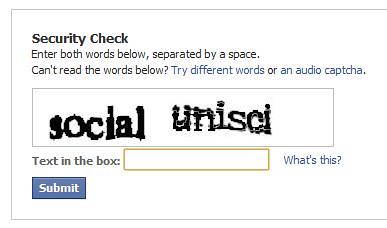 3) Once you pass the security check, you'll see your Settings Page with your Application ID and Application Secret: 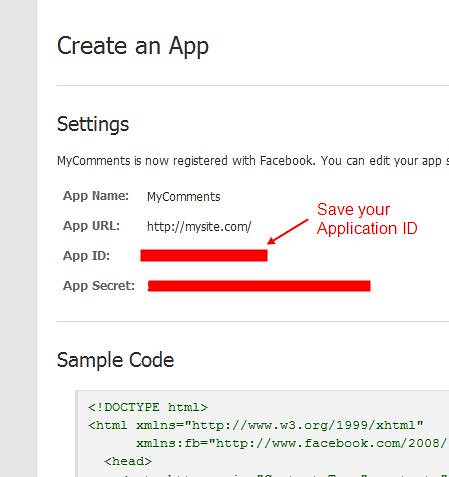 4) Now go to the Facebook Social Comments Website. Fill out the form with your data: your Website URL, number of default comments to be shown, and how wide should be the comment box, which will depend on your theme that you're using: 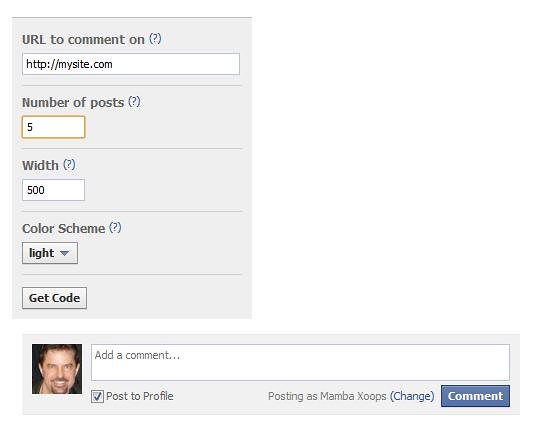 (Please note: you can change the settings later in your code) 5) Click on the "Get Code" button, and get your code: 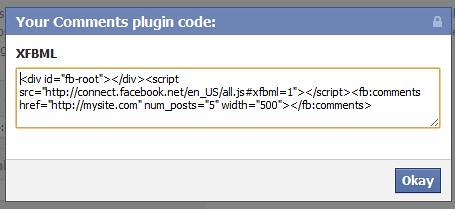 6) Go to the file news_item.html located in the /templates directory in your News module, and place your code before the last line, which is:
   </  div
>
 7) Save it, make sure that in your Admin Preferences (General Settings) the "Check templates for modifications ?" is set to "Yes", and check out your News - you should see a Facebook Comments Box under your article: 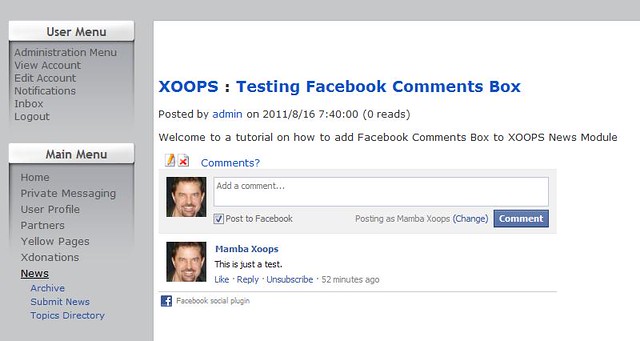 That should do it. Have fun Xoopsing  execution time : 0.025 sec
|